Use Cases
NZ Working Day Use Cases
Lawyer:
Calculate Property Settlement Deadlines
Scenario
As a lawyer, you are handling a property settlement for a house in Lower Hutt under the ADLS agreement form. The agreement becomes unconditional on 16 December 2026, and settlement is due 20 working days after this date. You must calculate the settlement date accurately, taking into account weekends, public holidays, the Wellington Anniversary day, and the ADLS shutdown period during Christmas/New Year. Providing the correct settlement date is crucial for your client, the bank, and other stakeholders involved in the transaction.
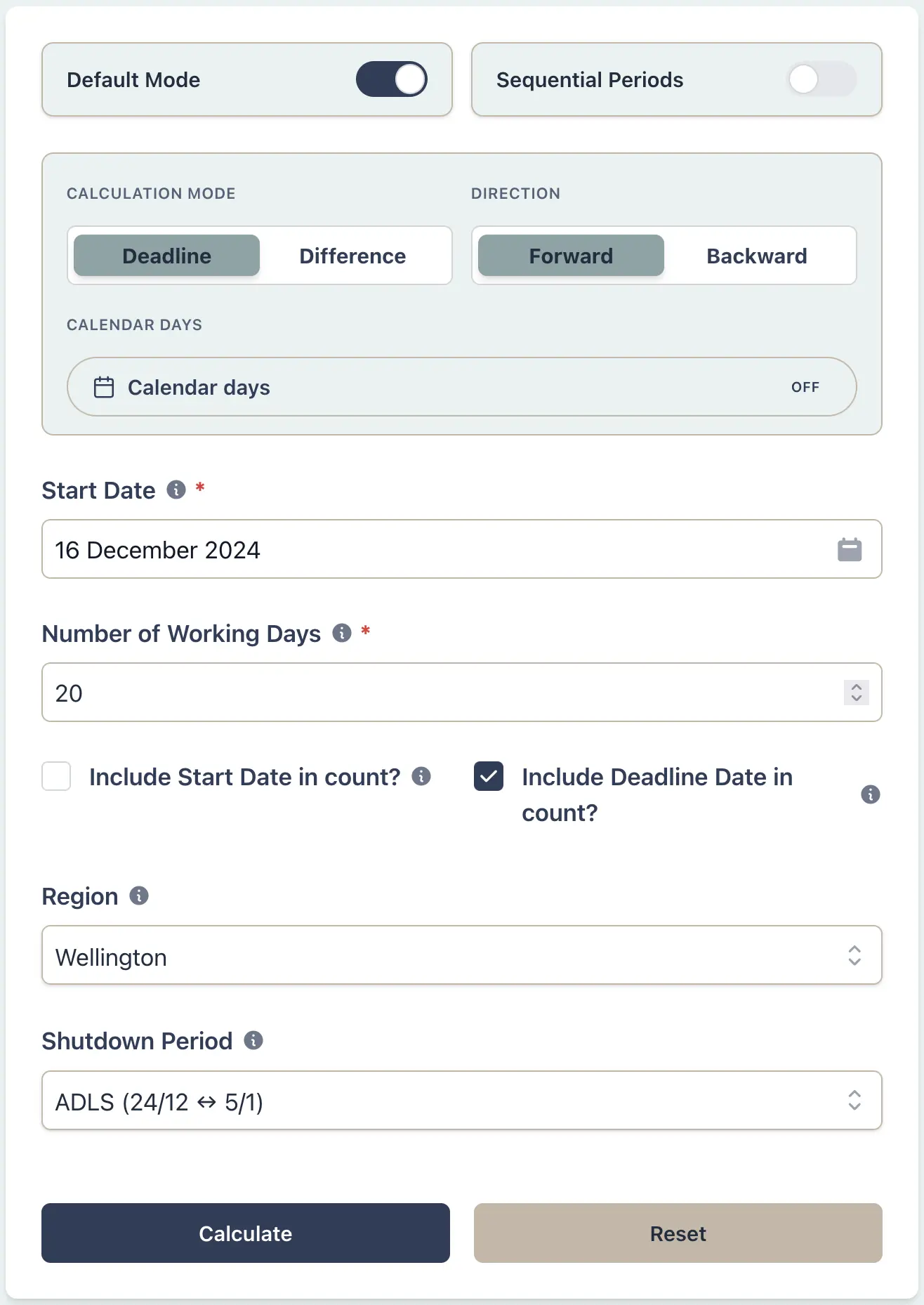
Example Workflow
Use the step row to inspect each part of the workflow.
9 stepsStep 1
Deadline
Select Deadline
Result Example
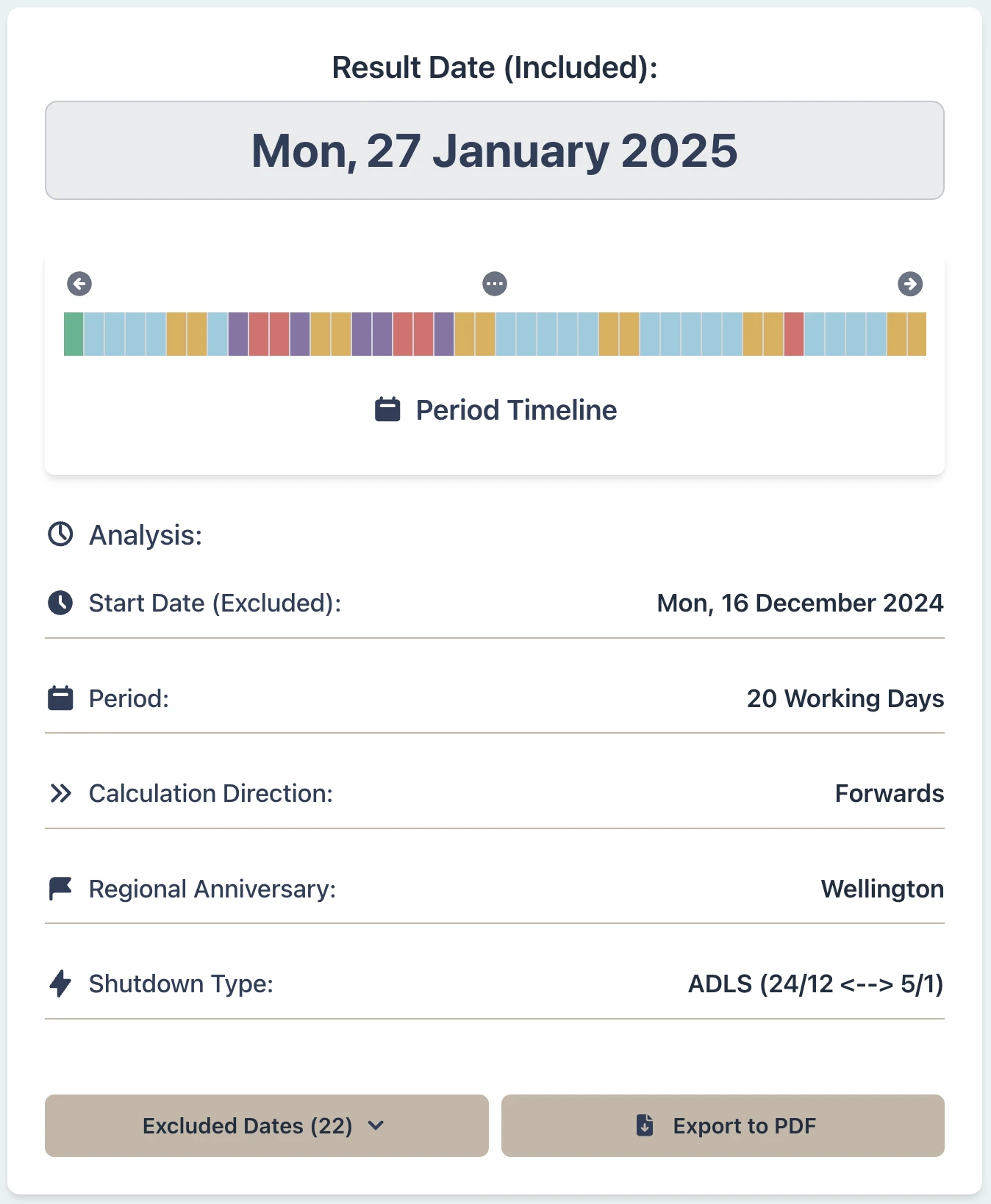
Why This Matters
- •Ensure accurate settlement dates for property transactions
- •Account for ADLS shutdown period and regional anniversaries
- •Provide certainty for clients, banks, and other stakeholders
- •Eliminate calculation errors and save time
Real Estate Agent:
Release the Deposit After 10 Working Days
Scenario
As a real estate agent, you are holding a deposit in trust as part of a property transaction under the ADLS agreement form. You received the deposit on 13 December 2026 when the agreement became unconditional. The Real Estate Agents Act requires you to hold the deposit for a period of 10 working days after receiving the deposit. You must calculate this period accurately, taking into account weekends, public holidays, and any applicable summer shutdown period. You must also pay attention to the wording of the Act which requires you to hold the deposit for 10 working days after receiving it.
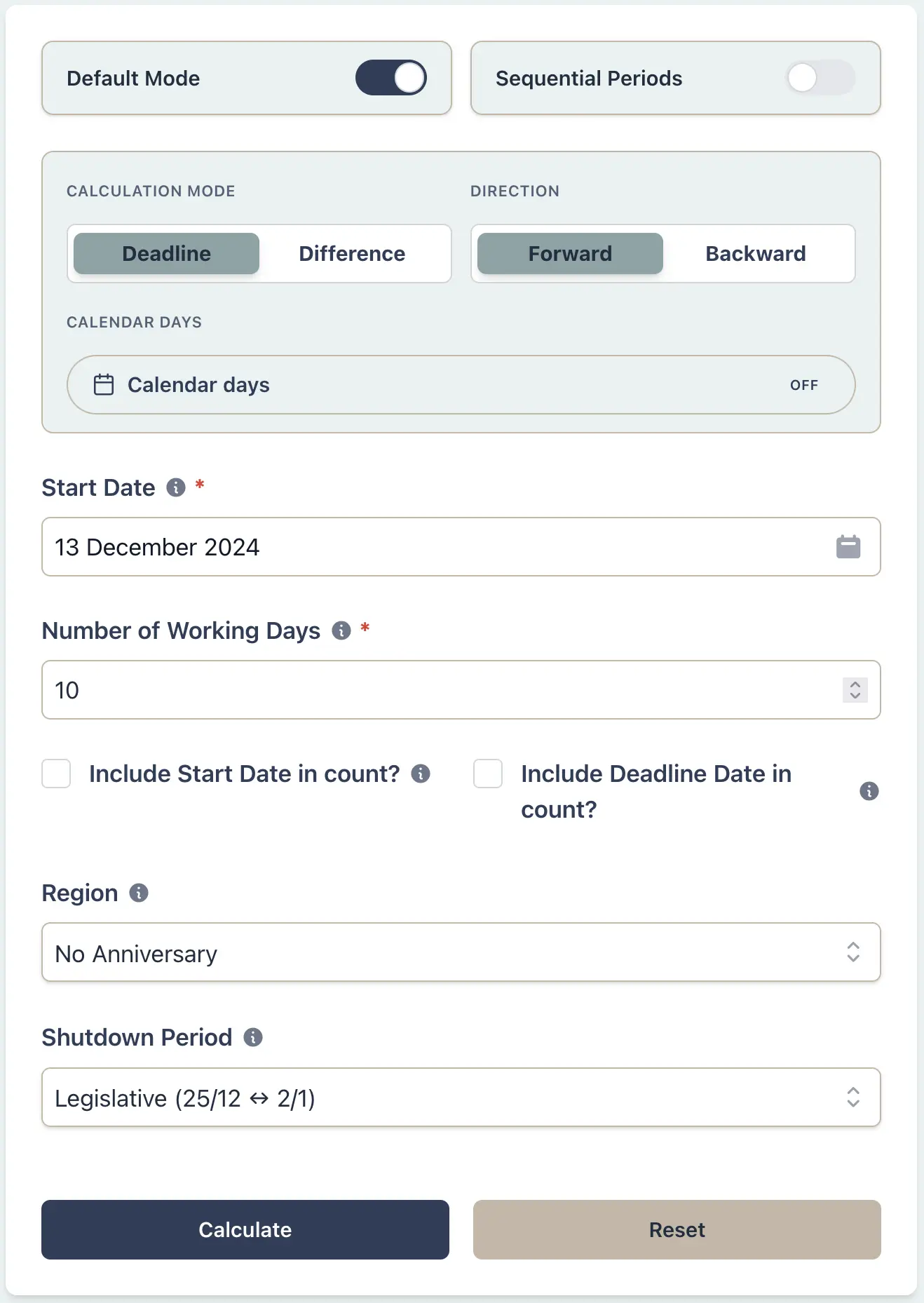
Example Workflow
Use the step row to inspect each part of the workflow.
8 stepsStep 1
Deadline
Select Deadline
Result Example
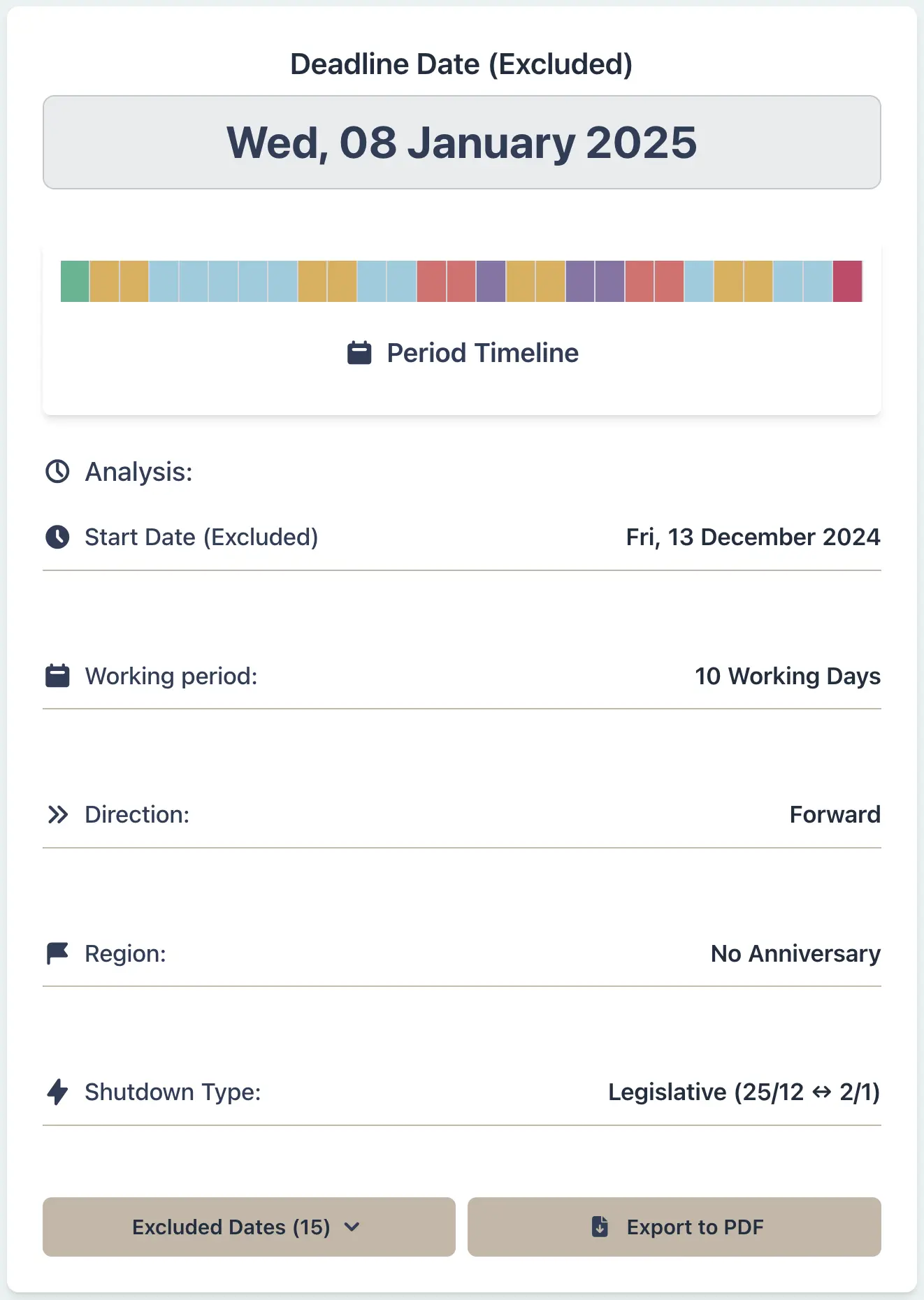
Why This Matters
- •Ensure compliance with the Real Estate Agents Act regarding deposit handling
- •Avoid penalties or disputes by adhering to statutory deadlines
- •Provide clear and precise timelines for clients, fostering trust and transparency
- •Document the calculation for your records in case of future inquiries
Company Director:
Calculate Notice Periods for Shareholder Meetings
Scenario
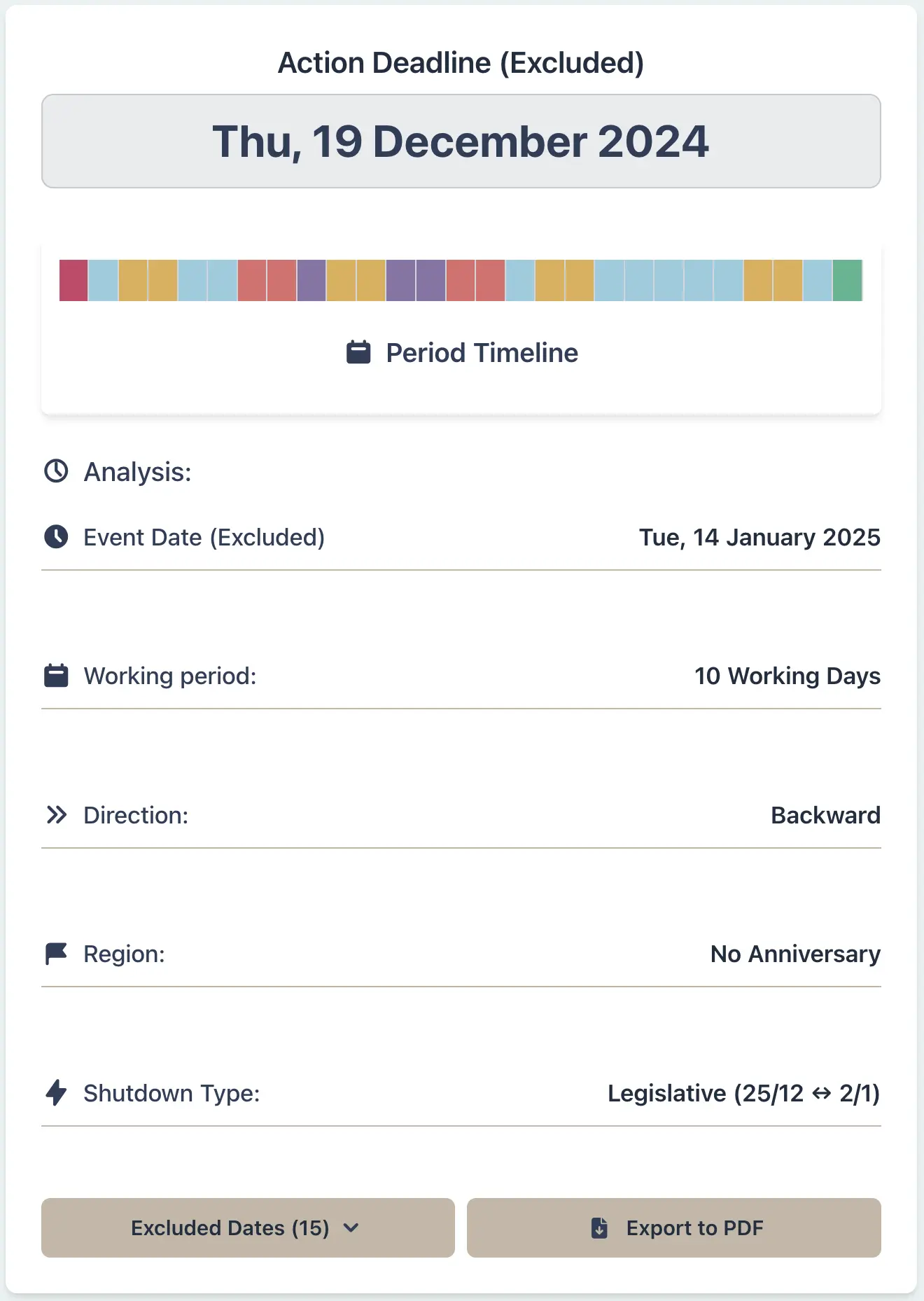
A company director needs to call a shareholders' meeting to pass a resolution approving a conditional transaction. The condition requires shareholder approval by 15 January 2026. To meet this deadline, the meeting is scheduled for 14 January 2026. Under the Companies Act, shareholders must receive notice of the meeting not less than 10 working days before the meeting date. The director must calculate the latest date to serve the notice, considering that regional anniversaries are not relevant to the Companies Act definition of working days, and taking into account the selected fixed statutory-style summer window (25 December to 2 January).
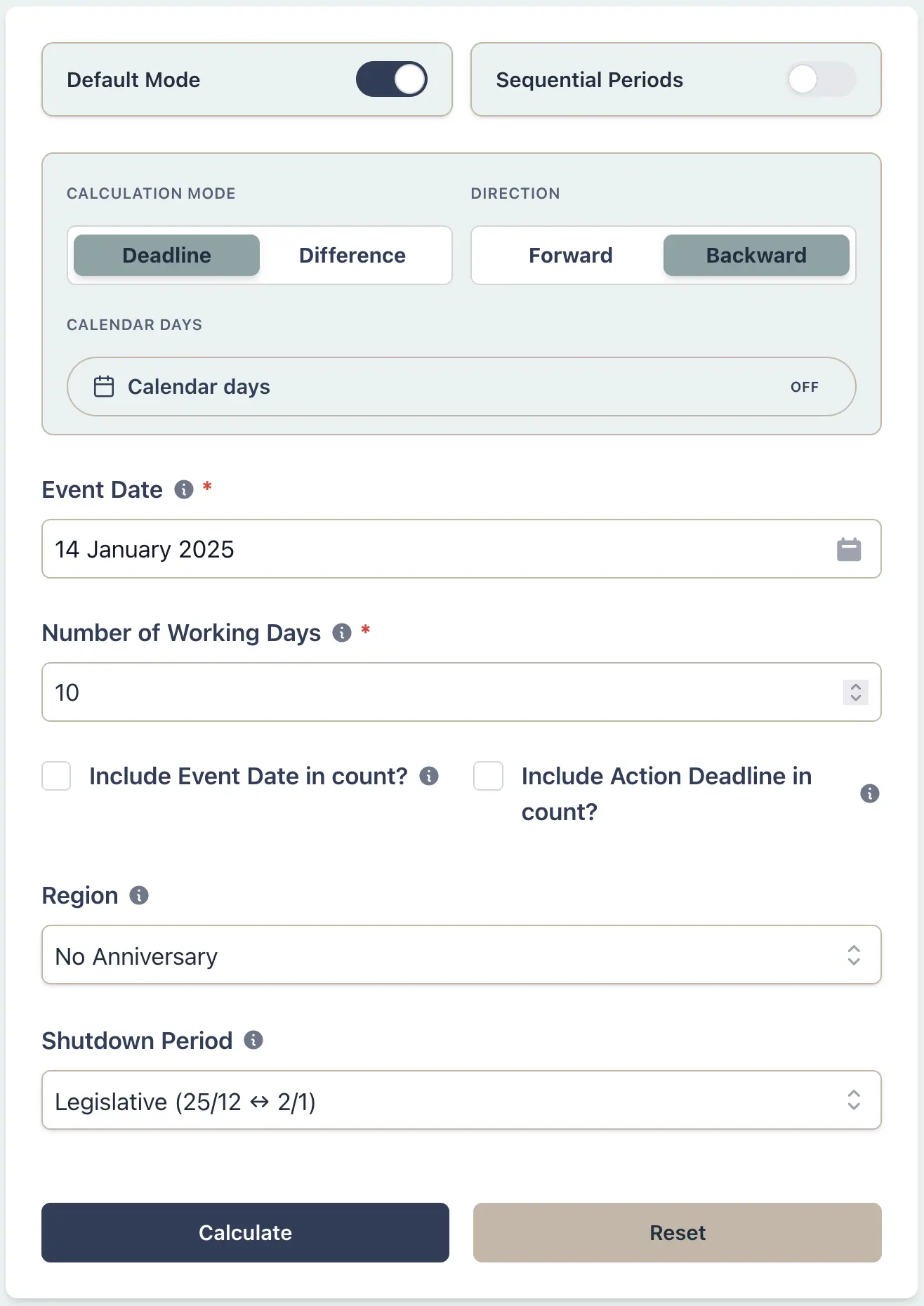
Example Workflow
Use the step row to inspect each part of the workflow.
9 stepsStep 1
Deadline
Select Deadline
Result Example
Why This Matters
- •Ensure compliance with the Companies Act notice requirements for shareholder meetings
- •Avoid invalidating the meeting by serving notice too late
- •Provide certainty and transparency to shareholders regarding meeting dates and resolutions
- •Maintain proper corporate governance and documentation
HR Manager:
Track Employee Leave Balances with Precision
Scenario
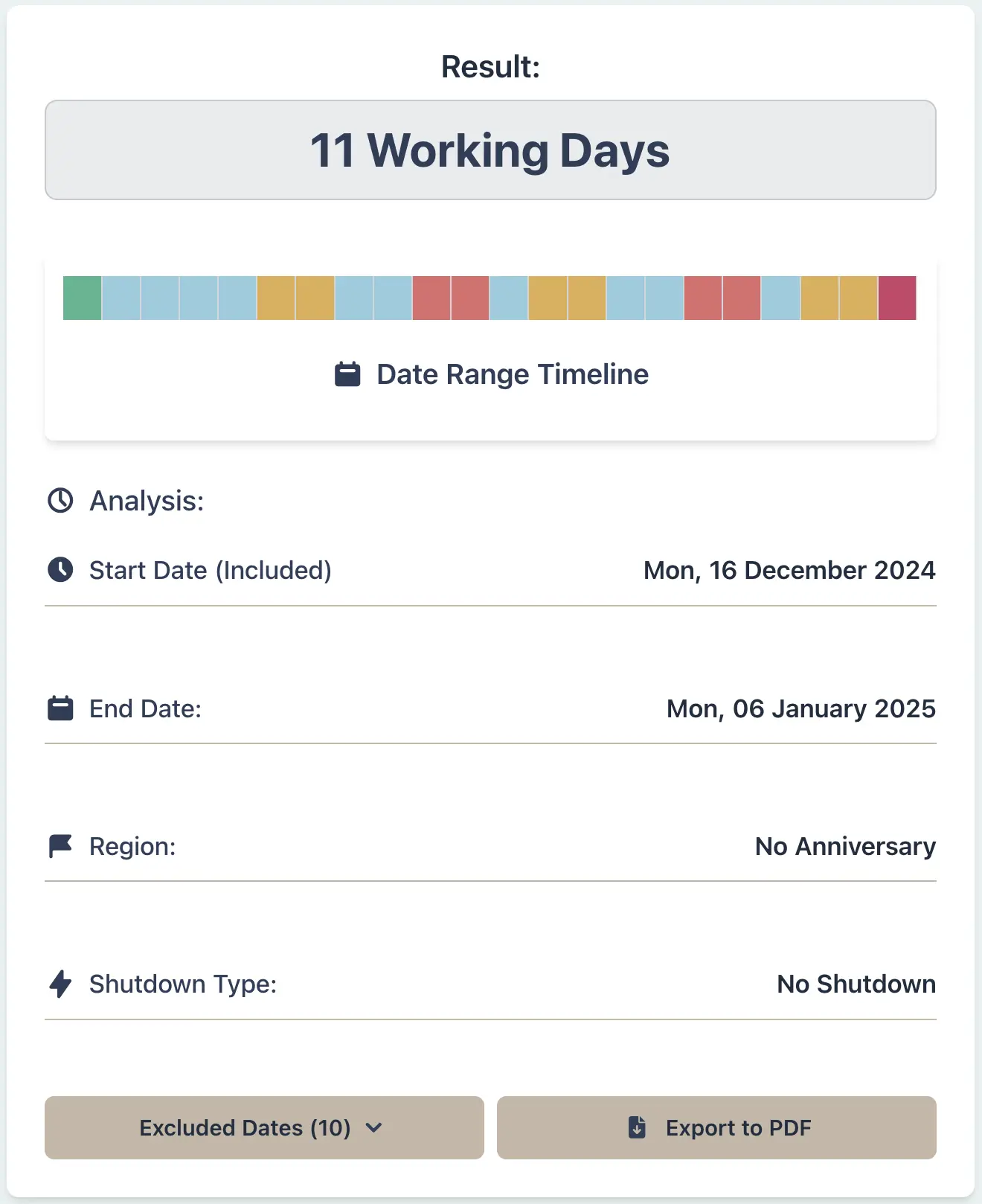
An employee has applied for leave from 16 December 2026 returning to work on 6 January 2027. As the HR manager, you need to calculate the exact number of working days within this period to accurately deduct from the employee's leave balance. This requires excluding weekends and public holidays.
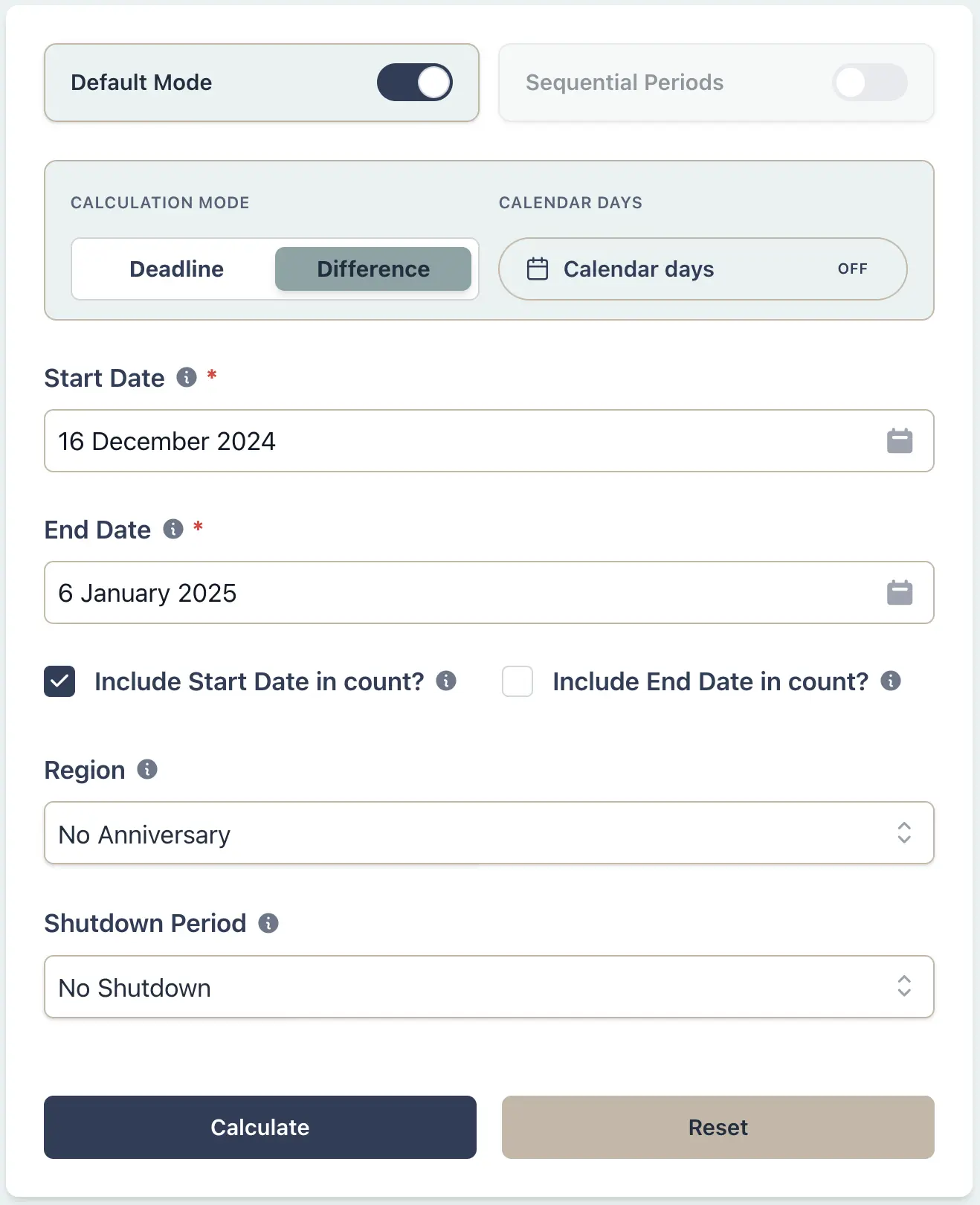
Example Workflow
Use the step row to inspect each part of the workflow.
7 stepsStep 1
Days between
Select Days between
Result Example
Why This Matters
- •Ensure accurate leave balance tracking for employees
- •Exclude weekends and public holidays from calculations, ensuring fairness in leave deductions
- •Provide clear and transparent calculations to employees, fostering trust and compliance
- •Simplify HR administration and reduce disputes over leave calculations
Planner/Consultant:
Calculate RMA Submission Deadlines
Scenario
As an environmental planner, you've received notification of a resource consent application on 25 November 2026. Submissions must be lodged within 20 working days from the day after notification. You need to calculate the exact closing date for submissions, correctly applying the Resource Management Act's definition of 'working day', including the extended Christmas/New Year exclusion period (20 Dec - 10 Jan) and excluding regional anniversaries.
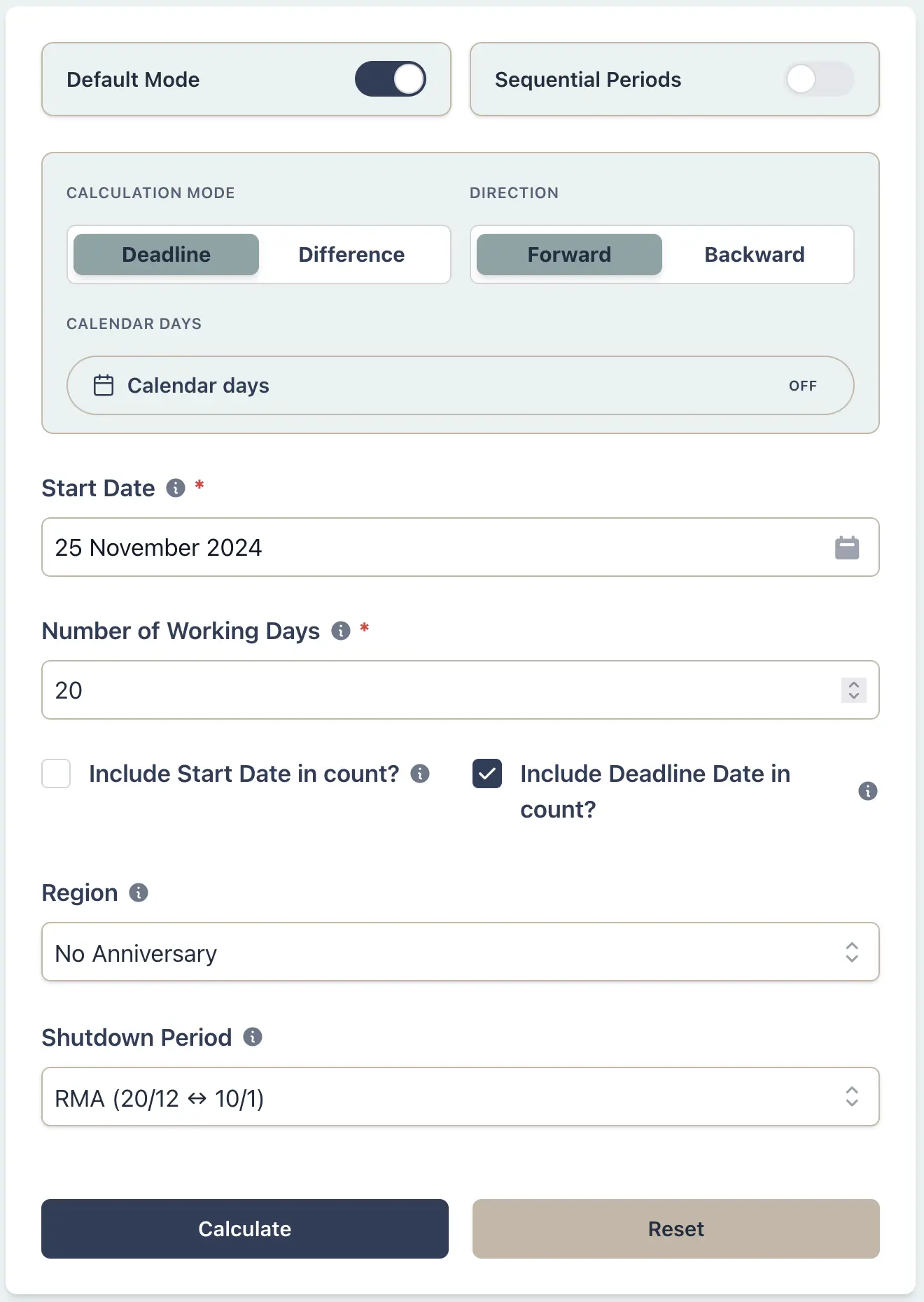
Example Workflow
Use the step row to inspect each part of the workflow.
8 stepsStep 1
Deadline
Select Deadline
Result Example
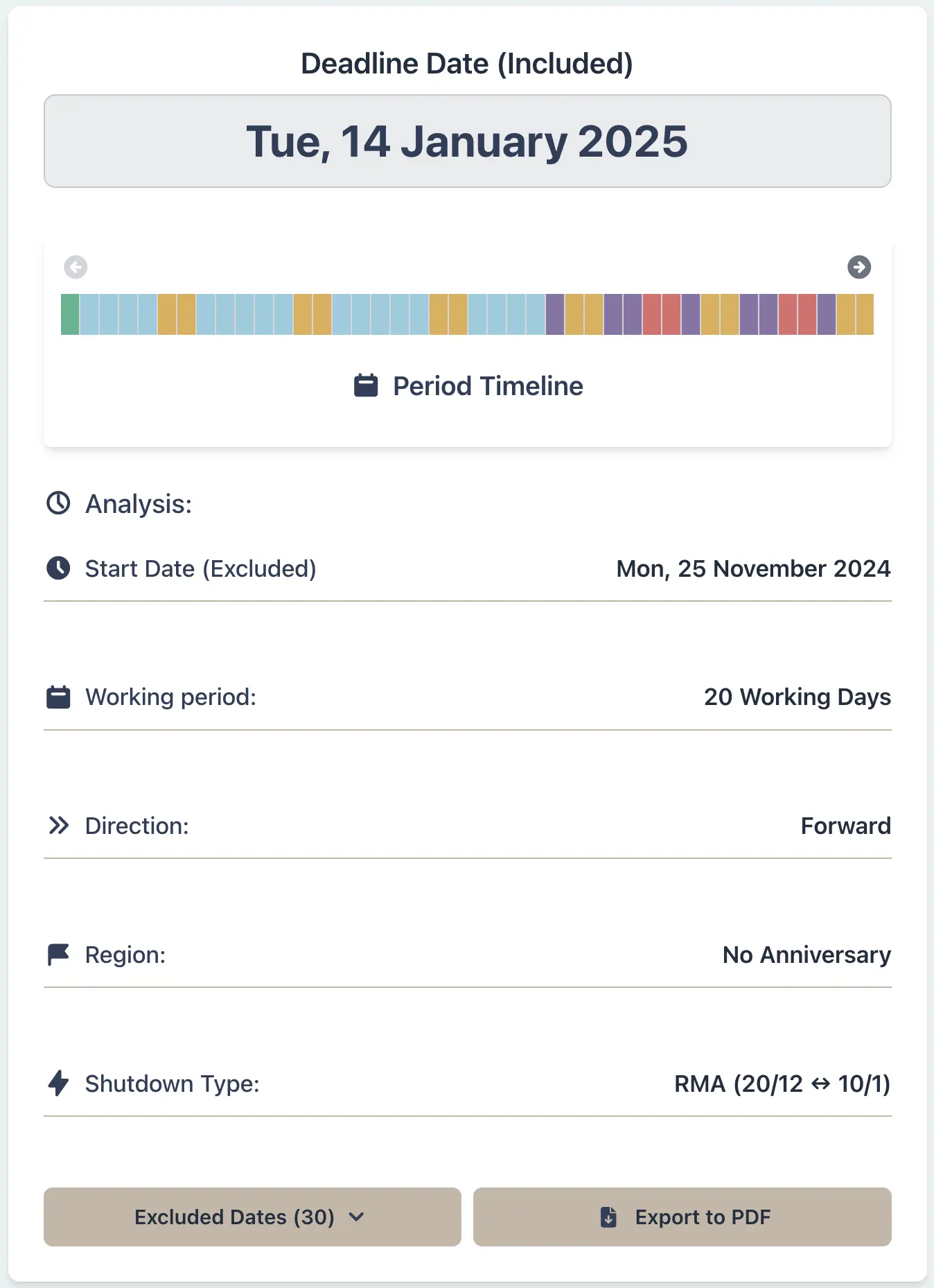
Why This Matters
- •Accurately determine RMA submission or processing deadlines
- •Correctly account for the specific RMA Christmas/New Year exclusion period
- •Avoid missing critical deadlines due to miscalculation
- •Ensure compliance with statutory timeframes under the RMA
Property Transaction:
Plan Due Diligence → Finance → Settlement
Scenario
A buyer and seller have agreed the offer on 8 December 2026. The contract requires a ten-working-day due diligence period, five working days for finance approval once due diligence clears, and a twenty-working-day runway to settlement after finance is approved. The transaction crosses the ADLS summer shutdown period (24 Dec - 5 Jan), and everyone involved understands the due dates for conditions and settlement.
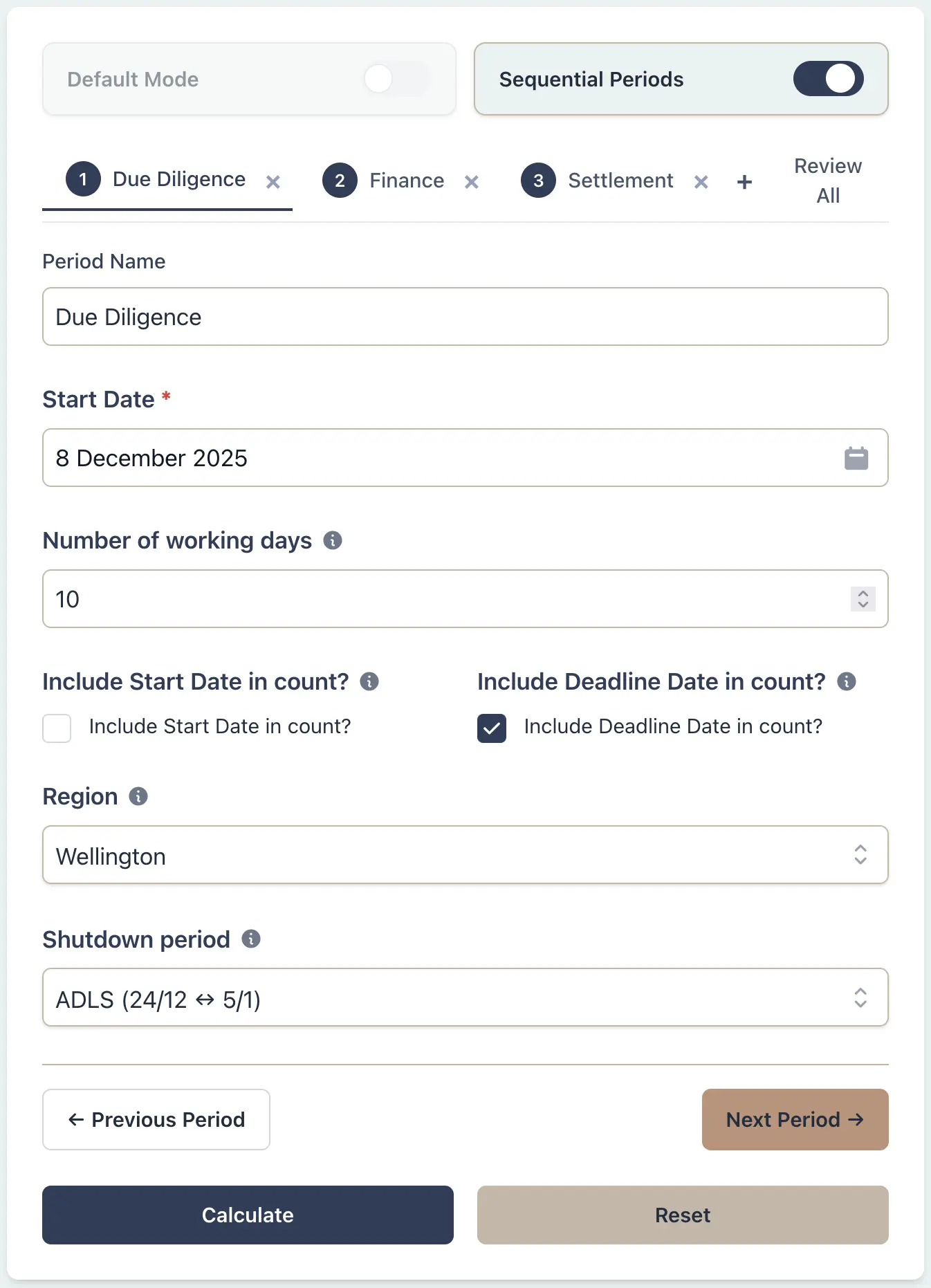
Example Workflow
Use the step row to inspect each part of the workflow.
9 stepsStep 1
Sequential
Select Sequential
Result Example
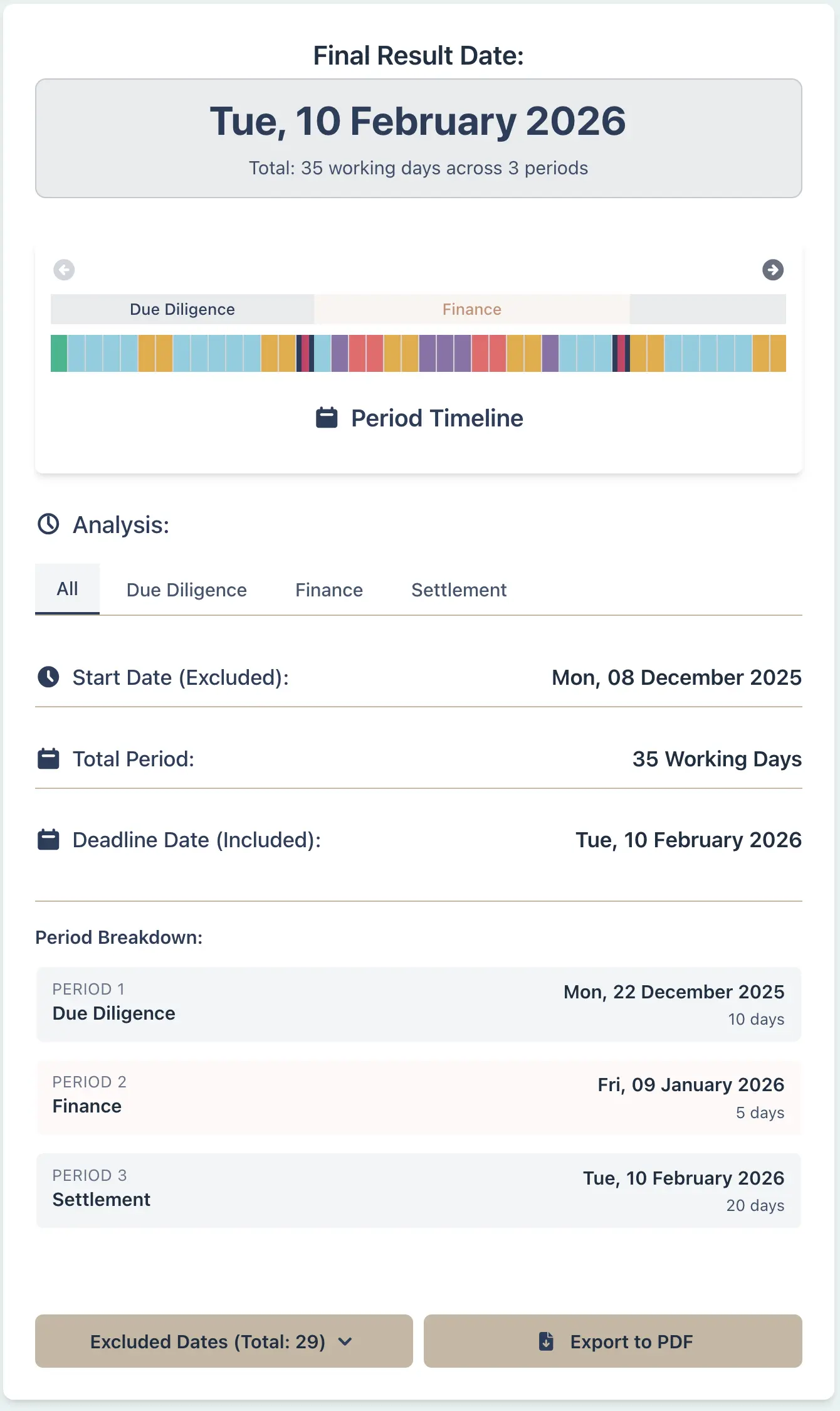
Why This Matters
- •Keep every milestone in a transaction aligned without juggling separate calculations.
- •See exactly how the ADLS summer shutdown extends each period - no guesswork or manual counting.
- •Demonstrate to clients why their settlement date is 10 February 2027, not late January.
- •Give all parties a single authoritative timeline PDF showing shutdown impacts across all stages.
- •Share the preset URL so everyone can verify the calculation independently.